Managing secrets in Kubernetes can be a challenge, especially when dealing with sensitive information such as API keys, passwords, and certificates. The Doppler Secret Manager is a cloud-based service that provides a secure and centralized way to manage secrets across multiple environments. In this article, we’ll explore how to inject secrets from the Doppler Secret Manager into Kubernetes containers using the External Secrets operator and Kubernetes secrets. We’ll cover the steps involved in setting up the operator, creating secrets in the Doppler dashboard, and configuring Kubernetes to access and use the secrets in your containers. By the end of this article, you’ll have a better understanding of how to securely manage and use secrets in Kubernetes with the help of the Doppler Secret Manager.
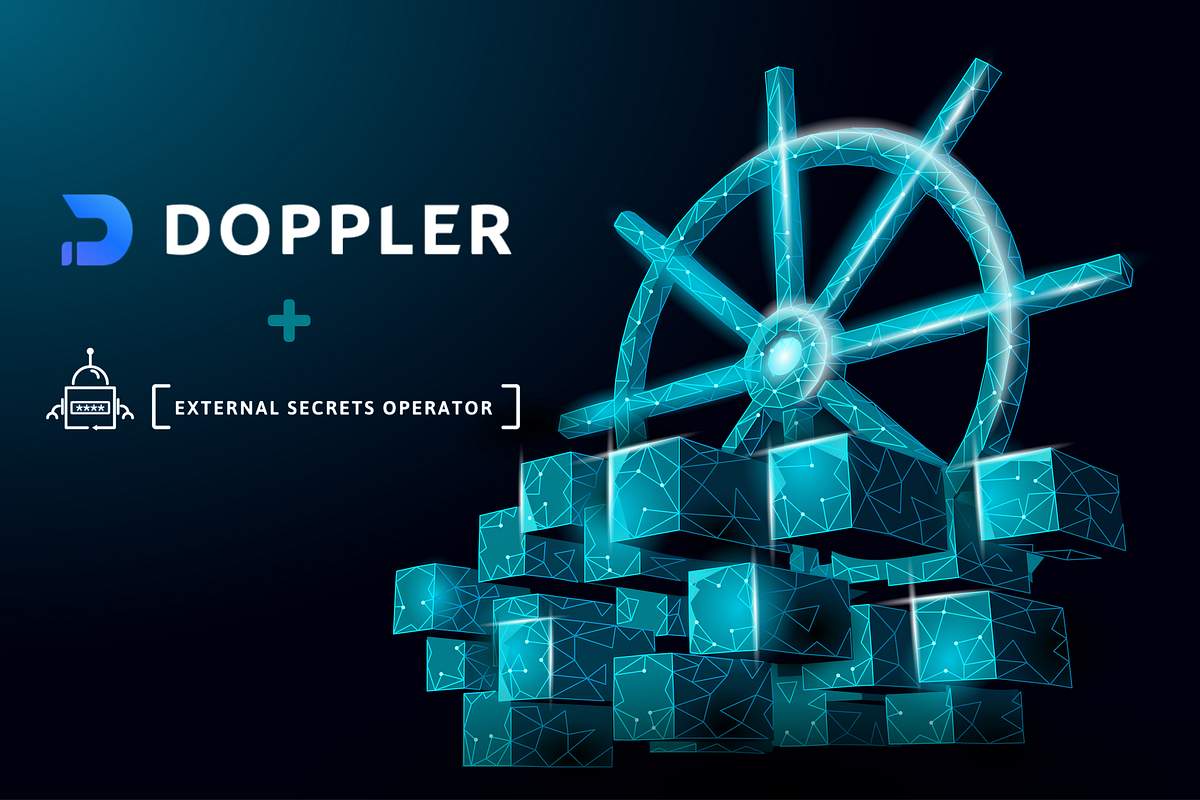
Doppler Secrets Manager
The Doppler Secret Manager is a cloud-based service that securely stores and manages sensitive information, such as API keys, passwords, and certificates, for use in software applications. It provides a centralized location for managing secrets across multiple environments and integrates with popular development tools and platforms.
External Secrets operator
The External Secrets operator is a Kubernetes operator that enables the management of secrets stored outside of Kubernetes, such as in cloud providers’ secret stores or third-party secret management systems. It allows users to access and use external secrets in a Kubernetes-native way, without having to manage and update them manually. The operator acts as a bridge between Kubernetes and the external secret store, automatically syncing secrets to Kubernetes secrets, and enabling secure access to external secrets in a consistent and scalable manner.
How to use it in our cluster?
First, let’s install external-secret resources via its helm chart
helm repo add external-secrets https://charts.external-secrets.io
helm install external-secrets \
   external-secrets/external-secrets \
    -n external-secrets \
    --create-namespace \
  --set installCRDs=true
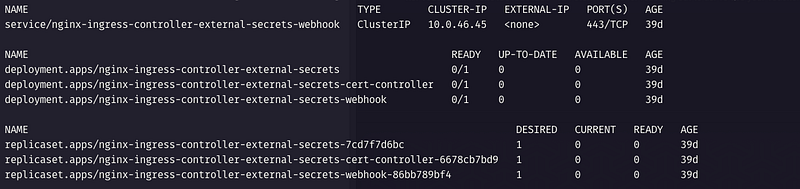
We can check if it was installed properly by typing kubectl get all -n external-secrets
2. Create your free Doppler account, you can also use my referral link 😉
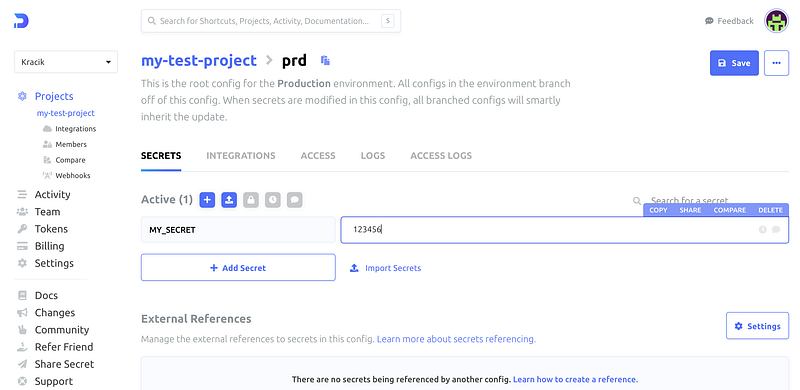
3. Create a project, it automatically creates 3 environments — we will use only the Production prd in our example, and add our super secret value(s).
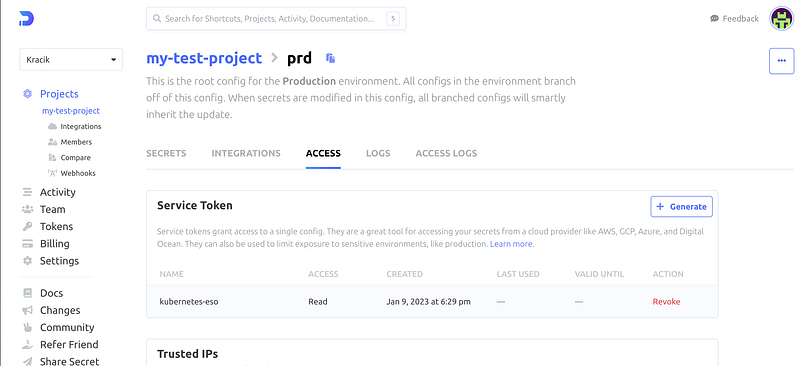
4. Create a Service token for this environment — tab Access and copy the token, we’re going to need it.
Kubernetes deployment
Let’s create a secret in the project namespace (I will use
test-project-ns) from the token we’ve just created
kubectl create secret generic doppler-token-auth-api --namespace=test-project-ns --from-literal dopplerToken="dp.st.xxxx"2. Deploy secret resources — SecretStore and ExternalSecret.
The SecretStore is a CRD, which indicates to the ExternalSecrets controller where to fetch the secrets from — it might be Google Secrets Manager, AWS Secrets Manager, etc. In our case, it is Doppler.
ExternalSecret defines which secrets should be fetched and how they should be provided.
apiVersion: external-secrets.io/v1beta1
kind: SecretStore
metadata:
  name: doppler-secret-store
  namespace: test-project-ns
spec:
  provider:
    doppler:
      auth:
        secretRef:
          dopplerToken:
            # name of the secret we created before
            name: doppler-token-auth-api
            key: dopplerToken

---

apiVersion: external-secrets.io/v1beta1
kind: ExternalSecret
metadata:
  name: external-secrets
  namespace: test-project-ns
spec:
  secretStoreRef:
    kind: SecretStore
    name: doppler-secret-store

  target:
    # name of the secret resource reference
    name: my-secrets

  dataFrom:
    # Get all secrets from doppler
    - find:
        name:
          # this could be scoped or provided only a selection
          # I prefer to fetch all
          regexp: .*
We can check it now:

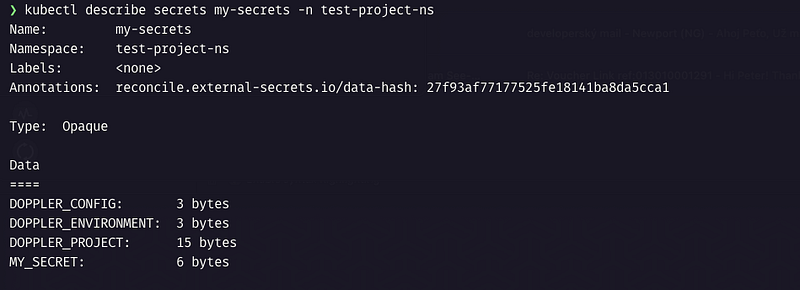
As you see, the external secret extrernal-secrets is created and the status is SecretSynced . And it should properly create a Kubernetes native secret my-secret :
3. Add a secret reference to the deployment/pod manifest.
The ExternalSecret will create a Secret resource with the name provided in the target and you can then operate with the secret as usual — for example, inject it as env variables to the pod.
Here’s a simple pod.yml that deploys a node.js pod and injects our secret values into the container.
apiVersion: v1
kind: Pod
metadata:
  name: test-app
  namespace: test-project-ns
spec:
  containers:
    - name: node
      image: node:latest
      ports:
        - containerPort: 3000
      command: ["npm", "start"]
      # injecting secrets as environment values
      envFrom:
        - secretRef:
          # defined in the externalSecrets as target name
          name: my-secrets
And that’s it, nothing more is required.
Let’s check if that worked and if the environment values contain our secret kubectl -n test-project-ns exec test-app — printenv | grep ‘MY_SECRET’

As I already mentioned, this was you can inject secrets from any other provider, the only thing that needs to be configured differently is the SecretStore resource.
Updating secrets
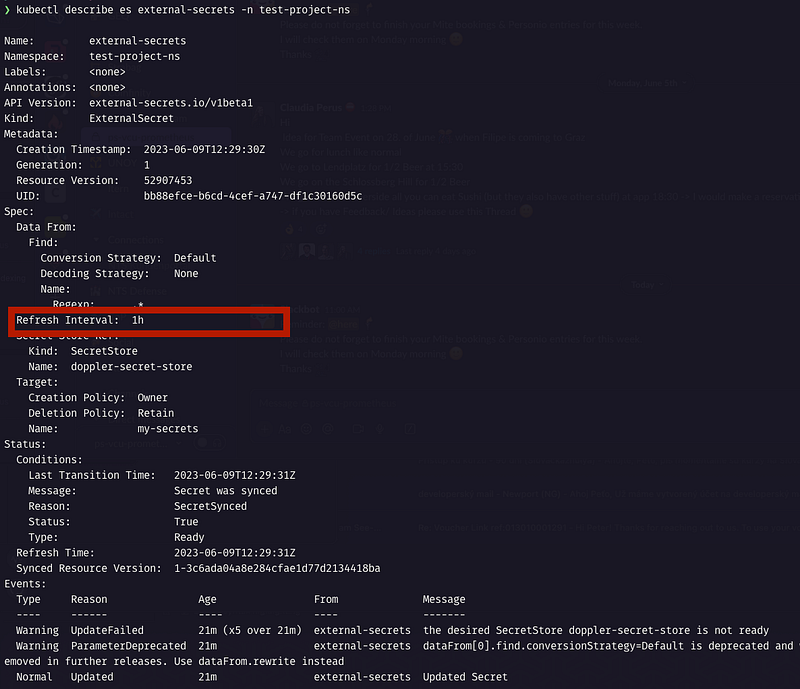
By default, external secrets are synced every 60 minutes. that can be seen in the describe and also it can be modified to a different value:
If you need to resynchronize the secret earlier, you can do it, by adding or editing an annotation or a label. The recommended way is to use the annotation
force-syncas following:kubectl annotate es external-secrets force-sync=$(date +%s) — overwrite -n test-project-ns
Doppler offers its own kubernetes operator, which I recently switched to. It has advantages like the auto-updating secrets and auto-restarting pods, but also one disadvantage — it is linked only to the Doppler provider. I will show it in another article.
Create your free Doppler account, you can also use my referral link 😉
External Secrets — https://external-secrets.io